Translate Everything.
Understand Everyone.
Instant, professional PDF translation for a connected world. Preserve formatting across 100+ languages with a single click.
Global Translation in 3 Steps
Simple, fast, and secure. We handle the complexity of neural machine translation so you don't have to.
1. Upload File
Select any PDF document. Our system auto-detects language and formatting.
2. AI Processing
Neural networks translate text while preserving your layout and images.
3. Download
Get your translated document instantly. Ready to share with the world.
Affidabile e Sicuro da Esperti del Settore





Built for a Connected World
Why global teams trust DocDoc Translate
Global Language Support
Connect with the world by translating into 100+ languages with native-level accuracy.
Format Fidelity
Our AI preserves complex layouts, making your translated document look exactly like the original.
Instant Processing
Break barriers in seconds. Our neural engine processes documents at lightning speed.
Context Engine
From technical manuals to legal contracts, our AI understands the nuance of every sector.
Secure Transfer
Bank-level encryption ensures your data remains private and is deleted automatically.
Any Device
Translate on the go. Works seamlessly on desktop, tablet, and mobile browsers.
Ready to go Global?
Break down language barriers with the most accurate AI PDF translator. Fast, secure, and free to start.
Translate Now
 4.61,340 recensioni
 4.513,920 recensioni
 4.64,550 recensioni
User Success Stories


FAQ
Articoli correlati
Esplora più suggerimenti, strumenti e guide per lavorare meglio con i PDF.
Sep 19, 2025 | 8,293 views
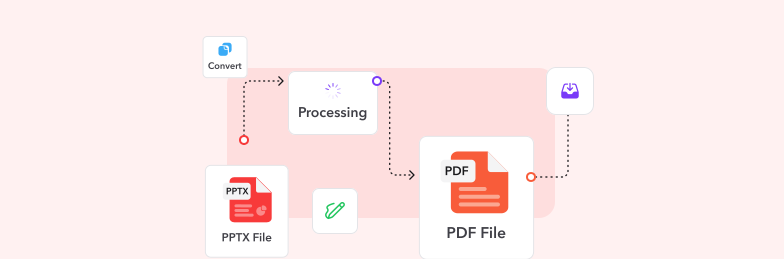
How to Convert a PPTX to PDF Online: Complete Guide
Master the art of converting PowerPoint presentations to PDF format online. Discover professional methods, optimization techniques, and expert tips for seamless document sharing and preservation.

Jul 22, 2025 | 15,692 views
How to Remove Password from a PDF File - Complete Unlock Guide
Learn multiple methods to unlock password-protected PDFs across different devices and platforms. Discover safe techniques for removing PDF passwords while maintaining document security.
Sep 15, 2025 | 15,234 views
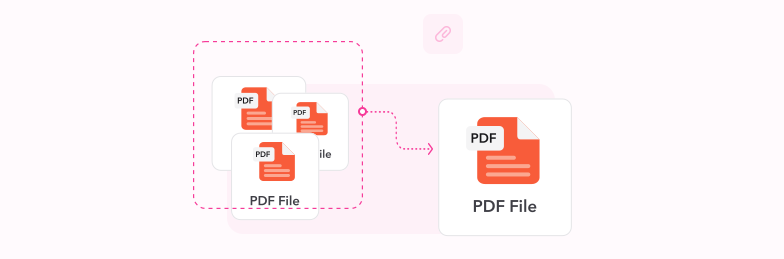
How to Combine Multiple Files into One PDF Document - Complete Guide
Learn how to merge multiple PDF files, documents, and images into a single organized PDF document. Discover professional techniques for combining files efficiently with perfect formatting and order.